115+ templates, AI generation, or write your own.
Automate your Mac in AppleScript, your way — from the menu bar, on a schedule, or with a plain-English request.
 $4.99 / £4.99 one-time · macOS 13+
Practical, copy-paste AppleScript guides for people who have never written a line of code — plus a 115+ template library, AI script generation, and scheduled automations for anyone who just wants working automations fast.
What it does
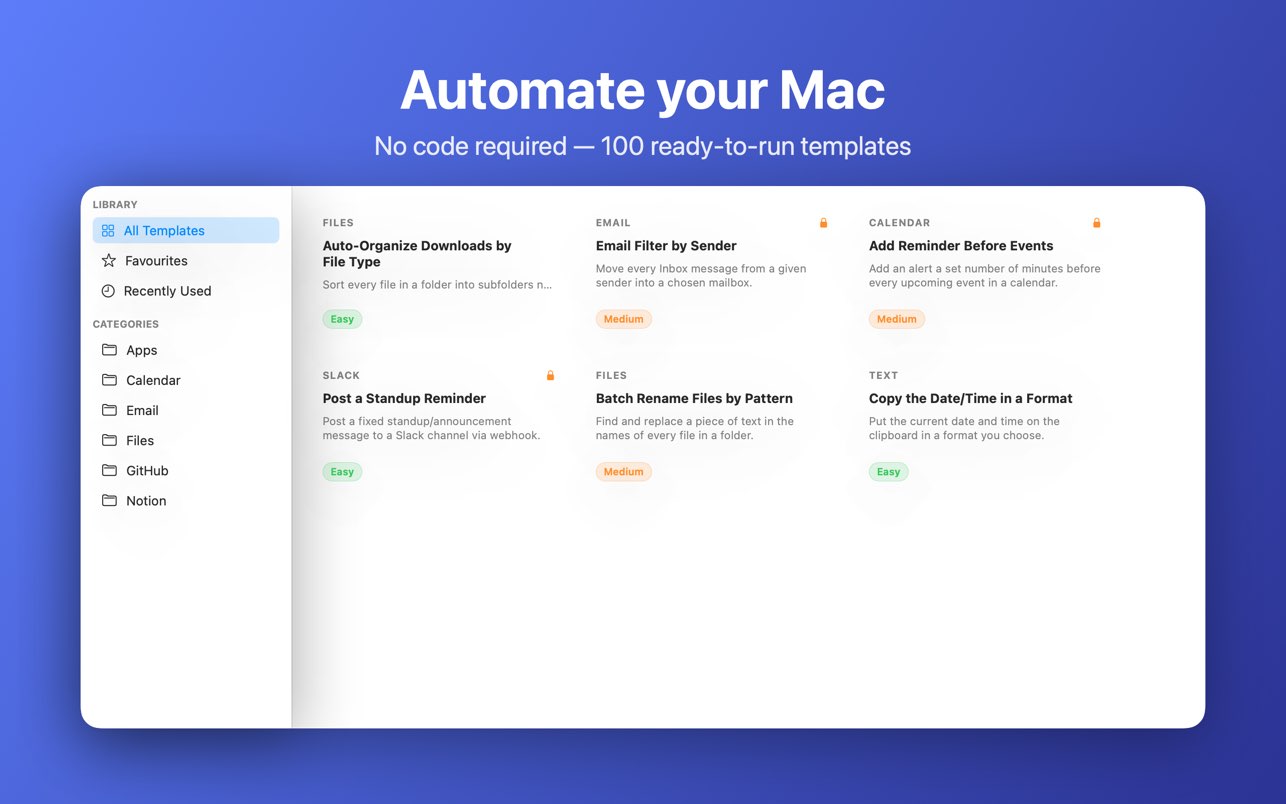
115+ ready-made automations
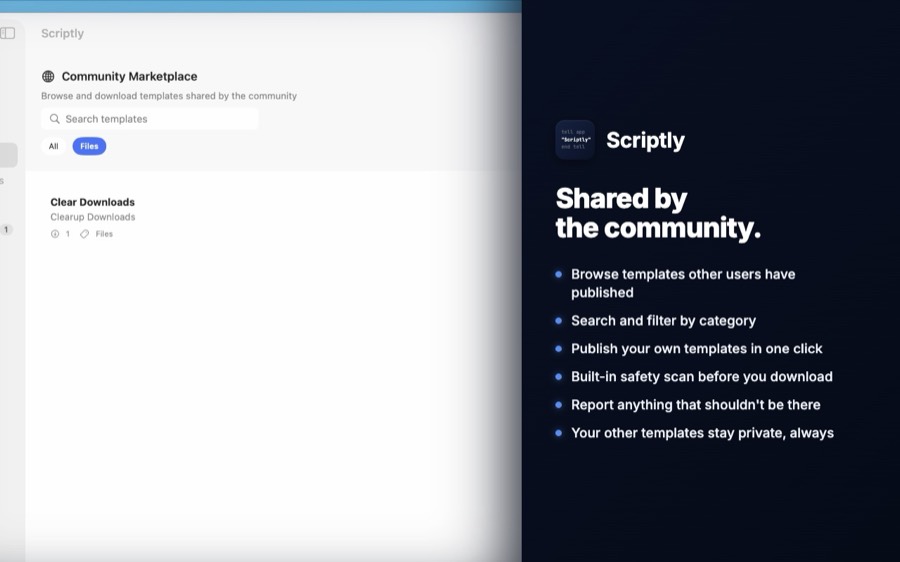
Across Files, Slack, GitHub, Calendar, Email, Notion, Zoom, and more, plus a Community Marketplace to browse and publish more.
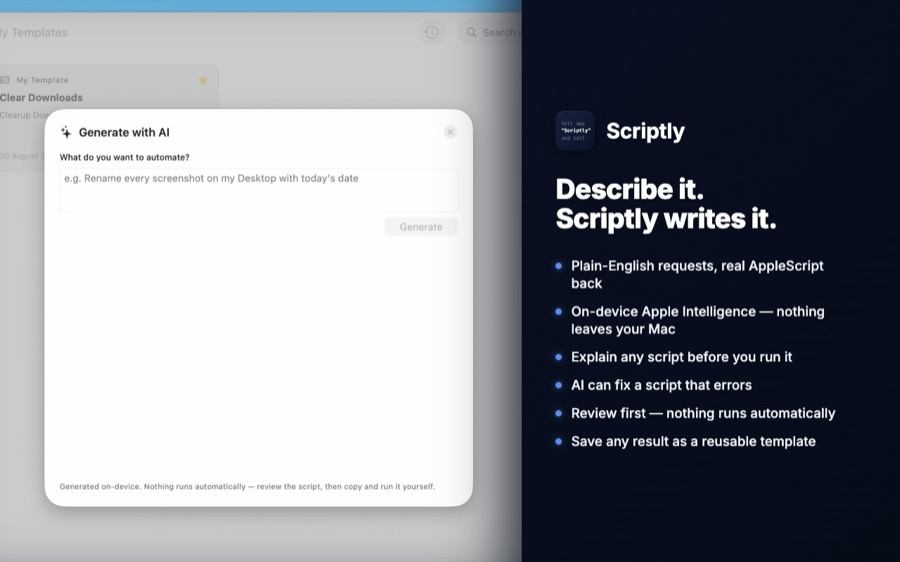
Plain English in, AppleScript out
Describe a task and get working AppleScript, or ask Scriptly to explain what any script does before you run it.
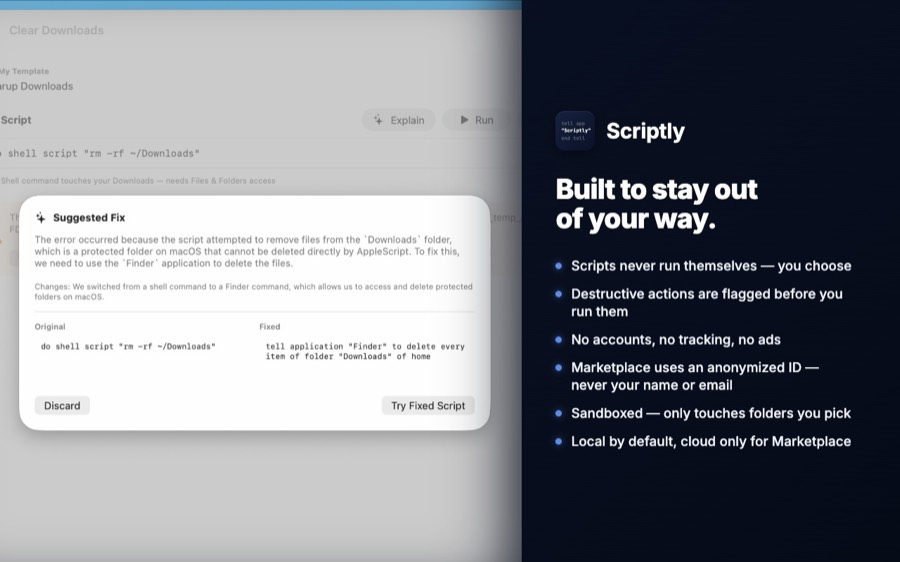
Risky actions flagged first
A built-in check reviews every AI-generated script for destructive patterns before you're allowed to run it.
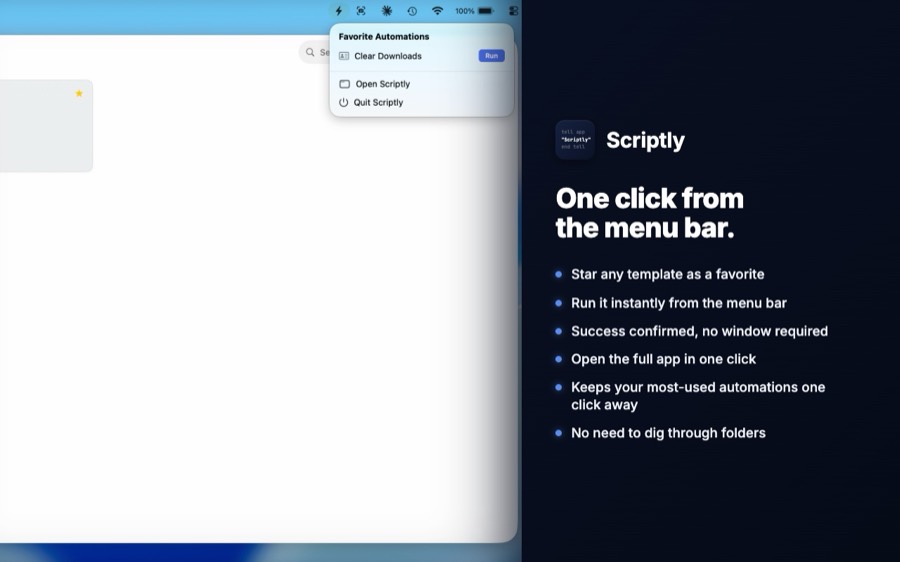
One-click quick-run
Launch a favourite automation straight from the menu bar — no window required.
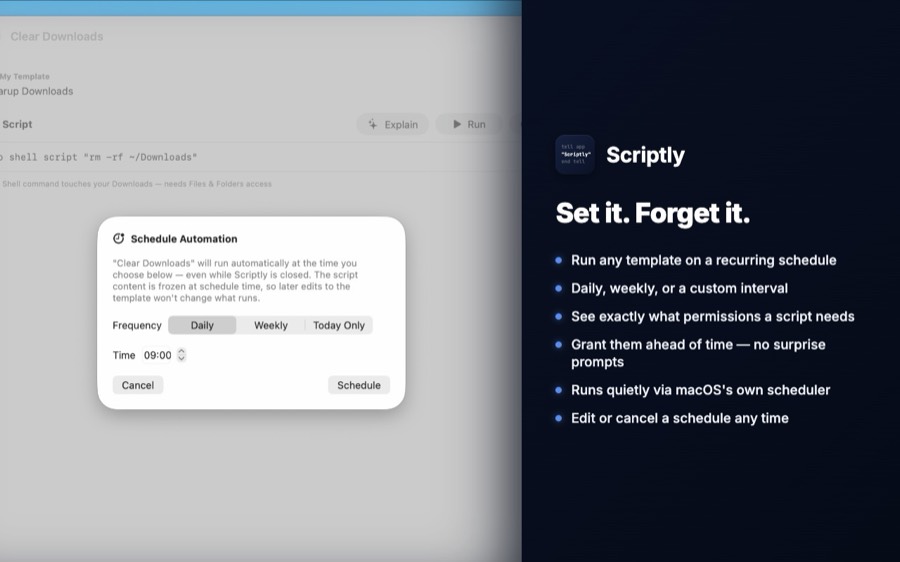
Runs even while closed
Daily, weekly, or once — scheduled automations keep running whether or not Scriptly is open.
See before you grant
A permission preview shows exactly what a script needs, so there are no surprise prompts.
Native Dark Mode, private by default
Nothing leaves your Mac except what you choose to publish to the Marketplace.
$4.99 / £4.99 one-time
No subscription, no in-app purchases.
Common questions
Do I need to know how to code?
No. Every template is ready to run as-is, and the AI generator writes scripts from a plain-English description — you never have to read or write AppleScript syntax unless you want to.
Does Scriptly run scripts automatically?
Only if you schedule one yourself. Otherwise, Scriptly writes a script and you run it — from the template view, the menu bar, or a schedule you set. Nothing runs without you choosing to, and every AI-generated script is checked for risky patterns before you're allowed to run it.
What's the Marketplace?
A searchable library of templates other Scriptly users have published, on top of the 115+ built-in ones. You can report or block any author whose templates shouldn't be there — reports are reviewed by the developer.
Does the AI generation need an internet connection?
No — script generation and explanation both run on-device using Apple Intelligence. Nothing you type is sent anywhere. These features need macOS 26 and an Apple Intelligence–capable Mac; everything else in Scriptly (templates, running, scheduling, menu bar, Marketplace browsing) works back to macOS 13.
Do scheduled automations really run when the app is closed?
Yes — a signed, sandboxed background helper checks for due schedules roughly every 15 minutes even with Scriptly fully quit. While the app is open, it checks far more often, so timing is much tighter in the common case.
Is there a free tier?
No — Scriptly is a $4.99 (£4.99) one-time purchase with everything included. No subscription, no locked features, no in-app purchases.
Latest Guides
Archive Old Files Automatically on Mac (AppleScript Guide)
Free up clutter by automatically moving files older than a set number of days into an Archive folder — one script, run any time.
Read More →Fix Common AppleScript Errors (With Real Explanations, Not Just Fixes)
The most common AppleScript errors, why they actually happen, and exactly how to fix each one.
Read More →Why AppleScript Still Matters in 2026
Apple hasn't meaningfully updated AppleScript in years, and Shortcuts gets all the marketing attention. Here's why it's still the right tool for real work.
Read More →10 AppleScript Templates You Can Copy-Paste Right Now
Ten small, genuinely useful AppleScript snippets — file organization, notifications, backups, and more — ready to paste into Script Editor.
Read More →Organize Your Downloads Folder Automatically (AppleScript That Actually Works)
Turn a chaotic Downloads folder into neatly sorted Images, Documents, Videos, and Archives folders — automatically, every time.
Read More →Batch Rename Photos on Mac Automatically (With AppleScript)
Rename hundreds of photos in seconds instead of one by one. Two working scripts: sequential naming and date-based naming.
Read More →How to Automate Email Organization on Mac (Zero Coding Required)
Stop spending 30 minutes a week filing emails by hand. Automatically sort messages into folders based on sender — works with Apple Mail.
Read More →AppleScript for Complete Beginners: What It Is and How to Write Your First Script
Never written a line of code? Here's everything you need to understand AppleScript and write your first working script in 10 minutes.
Read More →